

Setting up your Google Business Profile is the first, most crucial step in getting found by local customers. Think of it less as a listing and more as your digital storefront on Google Search and Maps. It’s the free tool that puts your business on the map—literally.
Your Digital Front Door for Local Customers
For business owners on the Sunshine Coast, in Noosa, or across Brisbane, your Google Business Profile isn’t just an option—it’s your most powerful local marketing asset. Forget seeing it as a simple directory listing. This is the new front door to your business, where most of your local customers will find you for the very first time.
As an award-winning web design first agency with deep SEO marketing skills, we’ve seen it time and again: a well-optimised profile drives real, measurable foot traffic. It starts building trust and credibility long before anyone even clicks through to your website.
This guide cuts through the fluff. We’re giving you the exact, actionable steps we use to turn this free tool into the number one lead source for businesses just like yours.
Why Your Profile Is a Local Game-Changer
In bustling hubs like Brisbane or tourist hotspots like Noosa, visibility is everything. Your Google Business Profile is the modern-day yellow pages, shop window, and welcome mat all rolled into one. It’s often the very first interaction a potential customer has with your brand.
Here’s a quick rundown of just how much a well-managed profile can do for a local business in our corner of Australia.
| Why Your Google Business Profile Matters | |
|---|---|
| Benefit | Impact on Your Local Business |
| First Impression | It’s the first thing customers see on Google Search and Maps, acting as your digital shopfront. |
| Increased Visibility | A complete profile ranks higher in local searches, putting you in front of more ready-to-buy customers. |
| Builds Trust | Positive reviews and up-to-date information signal to both customers and Google that you’re a reputable choice. |
| Drives Action | Makes it incredibly easy for customers to call, get directions, or visit your website with a single click. |
| Free Marketing | It’s one of the most powerful and effective local marketing tools available, and it costs nothing to use. |
Bottom line? A neglected profile is a massive missed opportunity. An optimised one is a customer-generating machine.
A common mistake we see is treating the profile as a “set and forget” task. Your Google Business Profile is a living, breathing part of your online presence that requires ongoing attention to deliver the best results.
Connecting Your Profile to a Broader Strategy
While this guide focuses squarely on Google Business Profile (formerly Google My Business), it’s crucial to see it as one piece of a much larger puzzle. A strong profile sends powerful signals to Google about your business’s relevance and authority, which directly boosts your overall search engine performance.
For those new to the concept, understanding the basics of What Is a Google Business Profile? is the perfect starting point. When you pair your profile with a solid website and a smart local SEO plan, you create a powerful system for attracting local customers.
You can learn more about how this all fits together in our guide to local SEO services. For now, let’s get that crucial first step right.
Getting Your Business Profile Set Up and Claimed
Kicking off your Google Business Profile is a foundational move. Get it right from the start, and you’ll save yourself a world of headaches down the track. This isn’t just about ticking boxes; it’s about sending Google clear, consistent signals about who you are, where you are, and what you do.
Let’s walk through the initial setup, focusing on the details that really matter for local businesses across Brisbane, Noosa, and the Sunshine Coast.
First up, head to the official Google Business Profile page to get started. You’ll be asked to search for your business name. If a profile already exists—maybe an old one you forgot about or one Google auto-generated—you can claim it. If not, you’ll be creating a fresh one from scratch.
The Bedrock of Your Profile: NAP Consistency
This is where you need to be precise. As you start punching in your business details, pay incredibly close attention to your Name, Address, and Phone Number (NAP). These three bits of information are the absolute cornerstone of local SEO.
Google is like a detective, cross-referencing this info with other online directories, your social media accounts, and your own website. Any little inconsistency—using “St” in one place and “Street” in another, or having “Pty Ltd” on some listings but not all—can confuse the search engine and water down your authority.
We always tell our clients to decide on one single, official NAP format and then use it religiously, everywhere. Consistency builds trust with Google, and that trust translates directly into better local rankings.
Storefront vs. Service Area: Which One Are You?
Next, you’ll need to define how you operate. This is a crucial step that so many local businesses stumble on. Google needs to understand how you serve customers. Do they come to your door, or do you go to theirs?
Here’s how to get it right for our local area:
- Physical Storefront: Pick this option if you have a physical location that customers walk into. Think of a café in Brisbane’s West End, a retail shop on Hastings Street in Noosa, or our own agency office. You’ll enter a full, public address that will show up on Google Maps.
- Service-Area Business: This is for any business that travels to the customer. A mobile car detailer based in Mooloolaba, a plumber covering the entire Sunshine Coast, or a consultant meeting clients at their Brisbane offices all fall into this bucket. You’ll still enter an address for verification, but you can hide it from the public and instead define the specific suburbs or regions you serve.
Nailing this distinction is vital. A service-area business that lists a home address as a storefront can confuse customers and even violate Google’s guidelines, putting your profile at risk of suspension.
Choosing Your Primary Business Category
After sorting out your location, you’ll choose a primary business category. This is arguably one of the most important calls you’ll make during the whole setup process. The category you pick directly tells Google which search queries your business should show up for.
Google has a predefined list, so you can’t just make one up. Your job is to find the most specific and accurate category that describes your core offering. For example, a restaurant in Noosa shouldn’t just pick the generic “Restaurant” if “Seafood Restaurant” or “Italian Restaurant” is a better fit.
Choosing the right category means you show up for relevant searches, attracting people who are actually looking for what you sell. This one choice can be the difference between connecting with high-intent customers and being completely lost in a sea of competition. Once you’ve established this strong foundation for your Google Business Profile, it’s essential to ensure it points to an equally professional online home. An optimised profile works best when it directs engaged customers to high-quality, professional websites that convert visitors into leads.
Navigating the Google Verification Process
Once you’ve plugged in all your business details, you’ll hit the next big milestone: verification. This is simply Google’s way of making sure your business is legit and that you’re the one who should be in control of the listing.
Think of it like getting the keys to your new digital shopfront. Without them, you can’t fully open for business, chat with customers, or manage how you show up online.
For many business owners, this step can feel like a frustrating hurdle. The good news is that Google provides a few different ways to get verified, and as an award-winning agency that’s guided countless Brisbane and Sunshine Coast businesses through this, we know all the quirks.
This decision tree shows the basic paths, depending on whether you have a physical location or you’re a service-area business.
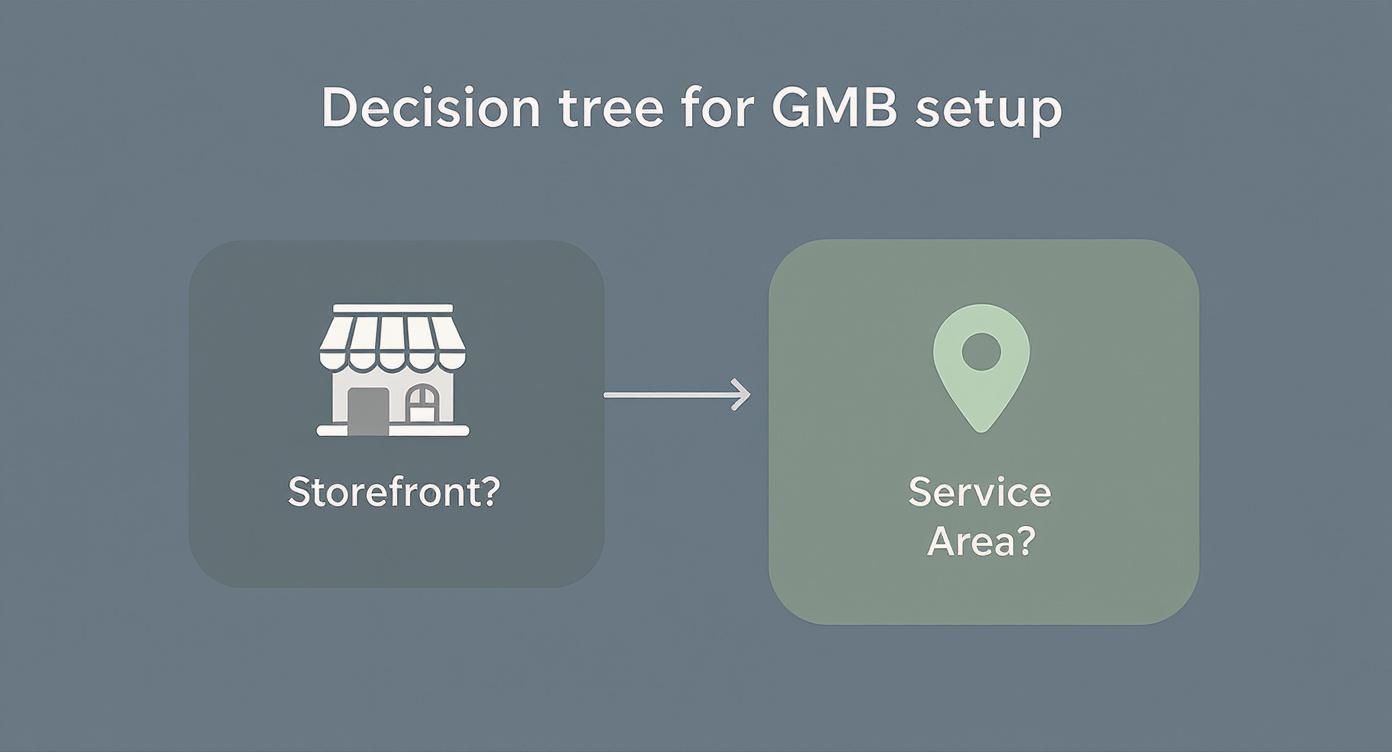
As the graphic shows, it doesn’t matter what your business model is. The end goal is always the same: a verified, customer-facing profile that’s ready to bring in local clients.
Understanding Your Verification Options
Google will usually offer one or more methods based on your business type and what it already knows about you online. It pays to know what to expect so you can be ready for the quickest route.
These are the most common methods you’ll likely come across:
- Postcard by Mail: This is the old classic. Google sends a postcard with a unique code to your business address, which usually takes 5-14 business days to arrive.
- Phone Call or SMS: A much faster option where an automated call or text delivers a code to your business phone number. This is often available for more established businesses whose number Google already trusts.
- Email Verification: Similar to the phone method, a code lands in your business email inbox (think you@yourdomain.com.au). This is a bit less common and usually reserved for businesses with a solid, verifiable online footprint.
- Video Verification: This is becoming the new standard, especially for brand-new profiles or service-area businesses. You’ll need to record a quick video showing proof of your business’s existence.
Mastering Video Verification for Local Trades and Services
For our clients in the trades and services across Noosa and the greater Sunshine Coast, video verification is now pretty much mandatory. It’s Google’s way of making sure a mobile plumber or a local electrician is a real, operational business. Don’t let it intimidate you; a little bit of prep makes the whole thing a breeze.
From our experience, the key to a successful video verification is authenticity. Google wants to see a real business in action, not a polished marketing video. Just show them the genuine evidence of your operation.
To get your video submission approved first go, have these things ready to film on your smartphone:
- Proof of Location: Start the video by showing your business address. This could be your office door, a building directory, or even a street sign if you’re a service-area business verifying from a home base.
- Business Operations: Pan around your workspace, showing your key equipment or tools of the trade. A local builder could show their workshop or a current job site. For a mobile car detailer, showing the inside of your fully-equipped van is perfect.
- Proof of Management: Film yourself unlocking your front door, accessing a staff-only area, or holding up business registration documents like your ABN certificate. A branded vehicle is excellent proof, too.
Troubleshooting Common Verification Delays
Sometimes, things just don’t go to plan. A postcard gets lost in the mail, or a video is rejected without a clear reason. Don’t panic.
The most common mistake we see is people requesting a new postcard too soon. This instantly makes the previous code invalid and resets the whole timeline. You have to wait the full 14 business days before trying again.
It’s also worth noting that Google is constantly rolling out new AI-powered features like video verification, QR codes, and better messaging tools. These are designed to help Australian businesses prove their legitimacy quickly and showcase what they do. These updates are all about building trust while making your profile easier to manage. You can find more details on Google’s latest profile features on adelaideseomarketing.com.au.
If you do get stuck, the best advice is to stay patient and follow Google’s prompts carefully.
Optimising Your Profile to Win Local Search
Getting your business verified is just stepping into the ring. Now comes the real work—and the real opportunity—to fine-tune your profile so it consistently punches above its weight against your local competitors. This is where you graduate from the basic setup and dive into strategic optimisation, turning your profile from a simple online listing into a customer-generating machine.
As an award-winning agency, this is where our SEO marketing skills really shine. Every single detail you add, from the way you describe your services to the photos you upload, sends a signal to Google about your relevance and authority. Let’s break down how to perfect each element to capture more local traffic, whether you’re in the Sunshine Coast, Noosa, or Brisbane.
Expand Your Reach with Strategic Categories
Your primary business category is critical, but it’s only the beginning. Google lets you add a bunch of secondary categories, and this is where you can start appearing in a much wider range of searches. So many businesses skip this part, leaving a huge opportunity on the table for their savvier competitors.
Think about all the different things you do. For an electrician based in Brisbane, “Electrician” is the obvious primary choice. But what about adding secondary categories like “Lighting Contractor,” “EV Charger Installation,” or “Switchboard Upgrades”? Each one opens up a brand-new path for a potential customer to find you.
To nail this:
- Brainstorm All Your Services: Jot down every single service you provide, no matter how small you think it is.
- Match Them to Google’s List: Start typing these services into the category field on your profile and see what official Google categories pop up.
- Prioritise and Be Honest: Add the most relevant and profitable service categories first. Critically, don’t add categories for services you don’t actually offer; stick to what’s 100% accurate.
By adding these extra layers of detail, you’re giving Google more context about your business. This massively increases the chances of your profile showing up for those highly specific, long-tail searches that often convert best.
Craft Compelling Service Descriptions
Once you’ve locked in your service categories, it’s time to bring them to life. The ‘Services’ tab in your profile is prime real estate to detail exactly what you do, and you can even add pricing. This isn’t just a list; it’s a sales pitch.
Instead of a generic entry like “Lawn Mowing,” a Sunshine Coast gardening business could write something far more compelling:
“Professional Lawn Mowing & Edging”
Description: We provide reliable, precision lawn mowing for residential homes across the Sunshine Coast. Our service includes expert edging for a clean, manicured look, plus a full clean-up of clippings.
Price: From $60
This level of detail answers customer questions upfront and helps pre-qualify your leads. It also gives Google more relevant keywords to associate with your profile, reinforcing your local expertise.
Showcase Your Work with High-Quality Photos
Photos are easily one of the most powerful tools in your optimisation arsenal. They build trust, show off the quality of your work, and give potential customers a genuine feel for your business. It’s a proven fact: profiles with more photos consistently get more clicks and more calls.
Your goal here is to build a comprehensive visual portfolio. Every local business should include:
- Exterior and Interior Shots: Show customers what your Brisbane café or Noosa retail store actually looks like from the street and inside.
- Team Photos: Put a face to the name! Authentic photos of your team build a real, personal connection.
- ‘In-Action’ Shots: A plumber fixing a leak, a web designer at their desk—show people what you actually do.
- Completed Projects: This is absolutely essential for trades and service-based businesses. Upload high-quality before-and-after photos of your work.
Pro Tip: Before you upload, geotag your photos with the location where they were taken (e.g., a job site in Noosa Heads). While Google’s official stance on this has varied over the years, it’s a simple step that can only help reinforce your local relevance.
The fierce competition in Australian local search rankings really highlights why this stuff matters. In 2023 and 2024, data showed that the first position on Google’s search results gets an average click-through rate between 29.5% to nearly 40%—almost double that of the second position. With nearly 46% of all Google searches in Australia having local intent, locking in that top spot is a game-changer. You can learn more by checking out these Australian local SEO statistics on redsearch.com.au.
Leverage Questions and Answers Proactively
The Q&A section on your profile is a goldmine for tackling customer pain points before they even have to ask. Don’t just sit back and wait for people to post questions—seed this section yourself with your own FAQs.
Think about the questions you get asked all the time over the phone or by email:
- “Do you offer free quotes?”
- “What are your weekend hours?”
- “Is there parking available near your Brisbane office?”
- “Do you service the entire Sunshine Coast?”
Post these questions yourself, and then answer them immediately from your business account. This builds an incredibly helpful resource for potential customers and shows that you’re an engaged, transparent business. Plus, it’s another chance to naturally include relevant local keywords and service terms. This whole process is a core part of building a strong online presence, a topic we explore further in our guide to SEO services for Sunshine Coast and Noosa businesses.
Stay Top-of-Mind with Google Posts
Finally, you need to treat your profile as an active communication channel by using Google Posts. Think of them as mini blog posts or social media updates that appear directly on your profile, perfect for sharing timely information.
Most posts stay prominent for seven days, so getting into a consistent weekly rhythm is ideal. Use them to:
- Announce special offers or promotions.
- Highlight a specific service or new product.
- Share a recent blog article or company news.
- Promote an upcoming event or workshop.
Every single post is a fresh opportunity to grab attention, drive traffic, and signal to Google that your business is active and relevant right now. By consistently applying these optimisation tactics, you’re not just setting up a profile; you’re building a powerful asset designed to win local search.
Building Trust With Customer Reviews And Engagement
In competitive local markets like the Sunshine Coast, Noosa, and Brisbane, customer reviews are your digital currency. They’re much more than just a star rating; they’re powerful social proof and a massive ranking factor in Google’s eyes.
A steady stream of positive feedback tells both potential customers and Google that you’re a reputable, high-quality business worth promoting. But building that stellar five-star reputation doesn’t just happen. It takes a proactive strategy—one that encourages happy clients to share their thoughts and professionally handles all the feedback you get.
Encouraging Customers To Leave A Review
The first step is often the one business owners struggle with most: actually asking for the review. Many feel it’s awkward or pushy, but here’s the reality—most happy customers are more than willing to leave feedback. You just need to make it incredibly simple for them.
Don’t just sit back and hope for reviews to trickle in. You need to actively and systematically ask for them. The golden window is right after a successful project or a great interaction. The key is to remove every ounce of friction.
Your best tool for this is your Google review link, which you can find right in your Business Profile dashboard. Save it, shorten it with a tool like Bitly, and have it ready to share at a moment’s notice.
Here are a few simple, non-pushy ways to get it done:
- A Personalised Email: A day or two after finishing a job, send a quick follow-up. Something as simple as, “We loved working with you on your Brisbane home renovation. If you have a moment, we’d be so grateful if you could share your experience on Google,” works wonders.
- An SMS Request: For quicker interactions, a simple text message with the direct review link is highly effective. People can tap and review in seconds.
- QR Codes: Add a QR code that links straight to your review page on invoices, business cards, or flyers. This is perfect for your Sunshine Coast customers who are always on the go.
Responding To Every Single Review
Responding to reviews is completely non-negotiable. It shows potential customers that you’re an engaged business that values feedback, and it signals to Google that you’re actively managing your profile. You need a game plan for every scenario: the good, the bad, and the brief.
A glowing review is your chance to reinforce that great experience. A generic “Thanks!” just doesn’t cut it. Mention the specific project or service they’re happy with to add a personal touch and sprinkle in a few extra keywords.
Negative reviews, while they can sting, are a massive opportunity to show off your professionalism. The absolute worst thing you can do is ignore them or get defensive. Learning how to respond to negative Google reviews constructively is a vital skill. Always respond publicly, acknowledge their issue, offer a sincere apology, and suggest taking the conversation offline to find a solution.
Using Direct Messaging To Convert Inquiries
Beyond reviews, your Google Business Profile has a seriously powerful direct messaging feature. Turning this on allows potential customers to contact you straight from your profile, creating an immediate, low-friction way to generate new leads.
Think of it as a live chat for your Google listing. A prompt, helpful response can be the difference between turning a casual browser into a loyal customer or losing them to a competitor down the road. It’s vital to have notifications for this feature switched on so you can reply quickly. This kind of proactive engagement is a hallmark of top-ranking profiles and will set you miles apart from the competition.
Got Questions About Your Google Business Profile?
Even when a profile is perfectly tuned, questions always come up. As an award-winning agency working with businesses across Brisbane, Noosa, and the Sunshine Coast, we’ve pretty much heard them all.
Think of this as your local troubleshooting guide. We’ve put together straight answers to the most common queries we get, designed to clear up any confusion and keep you moving.
How Long Does Verification Take in Australia?
Honestly, verification time really depends on which method Google decides to offer you. The classic postcard by mail is the slowest of the bunch, usually taking anywhere from 5 to 14 business days to show up at your address.
If you get lucky and are offered phone or email verification, it’s almost instant.
Video verification is becoming more common, especially for our service-based clients here on the Sunshine Coast. Once you’ve submitted the video, it generally takes a few business days for Google’s team to review it.
The most important tip we can give is to be patient. If you’re waiting on a postcard, you must wait the full 14 business days before requesting a new one. Hitting that ‘resend’ button too early will invalidate the first code and reset the entire timeline, causing a completely avoidable delay.
What Types of Photos Should I Upload?
A strong visual portfolio is non-negotiable for making a great first impression. You should aim for a diverse mix of high-quality, authentic images that tell your business’s story. Whatever you do, don’t rely on generic stock photos.
Start with these essential categories:
- Logo and Cover Photo: These are your brand’s cornerstone visuals. Make sure they are crisp, clear, and professional.
- Exterior and Interior: For a Noosa café or a Brisbane retail store, this is key. Show customers what to expect before they even arrive with clean shots of your entrance and the vibe inside.
- Your Team in Action: Nothing builds trust like seeing the real people behind the business. Authentic photos of your staff at work add a human element that customers really connect with.
- Products or Completed Projects: This is your proof. A local builder should showcase finished renovations, while a restaurant should feature its most popular dishes. Aim for a minimum of 10 high-quality photos to get started and then keep adding more on a regular basis.
Can I Have a Profile with a Private Address?
Absolutely. This is exactly what the service-area business type was designed for. Heaps of consultants, tradies, and mobile services operate from a home address they don’t want splashed all over the internet.
During the setup, you’ll enter your physical address for Google’s eyes only—it’s just for verification. You then simply select the option to hide this address from the public on your profile.
The next crucial step is to define your service areas. You can list entire regions like ‘Sunshine Coast’ or ‘Brisbane’, or get more granular by adding specific suburbs and postcodes to show customers exactly where you operate.
How Often Should I Use Google Posts?
Consistency is far more important than frequency, but a regular rhythm sends strong, positive signals to Google. We recommend our clients create a new Google Post at least once per week.
Think of Posts as your business’s real-time bulletin board. Most post types expire or lose their top spot after seven days, so this weekly habit ensures your profile always looks fresh and active.
Use them to announce a special offer, highlight a specific service, share a link to your latest blog, or just post a company update. In Google’s eyes, an active profile is a trusted profile.
Ready to turn your Google Business Profile into your number one lead source but just don’t have the time? As an award-winning web design first agency with strong SEO marketing skills, Digital Roo’s helps businesses across the Sunshine Coast, Noosa, and Brisbane dominate their local search results. We handle the setup, optimisation, and ongoing management so you can focus on what you do best. Let’s build a stronger website and an even stronger business together.